























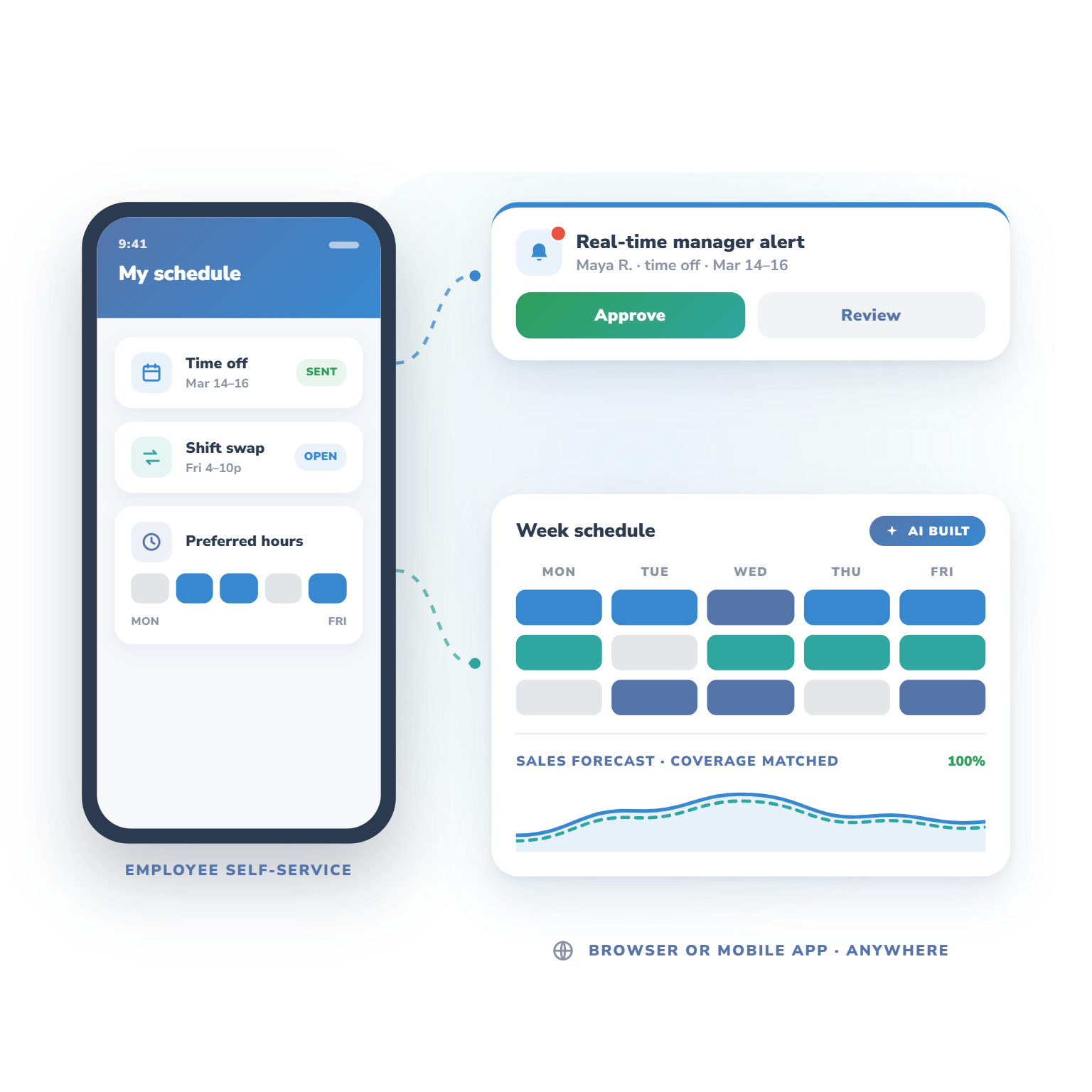
Empower your team to manage their own availability with tools for requesting time off, swapping shifts, and indicating preferred work times. Managers get real-time alerts for quick approvals and updates.
Create perfect schedules faster with bulk scheduling, custom templates, and AI automation. Use past and forecasted sales data to ensure every shift is covered, and access your schedules anywhere with a browser or mobile app.
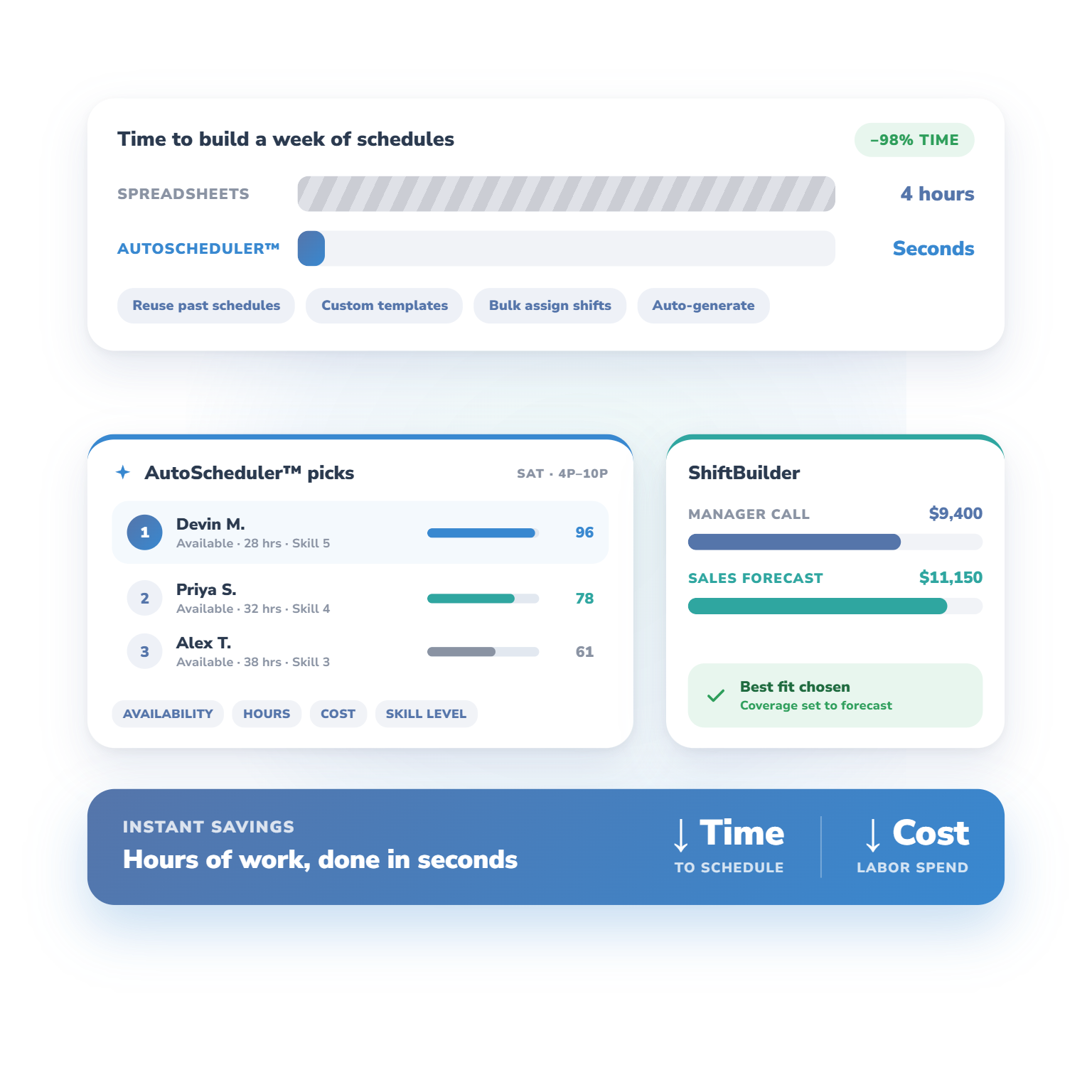
Cut scheduling time dramatically by reusing past schedules, creating templates, bulk assigning shifts, and automatically generating complete schedules. The AI-driven AutoScheduler™ recommends the best team members for each shift based on availability, hours, costs, and even skill levels.
For precision scheduling, ShiftBuilder compares manager predictions with sales forecasts to help you choose the best fit. What once took hours with spreadsheets can now be done in seconds, delivering instant time and cost savings.
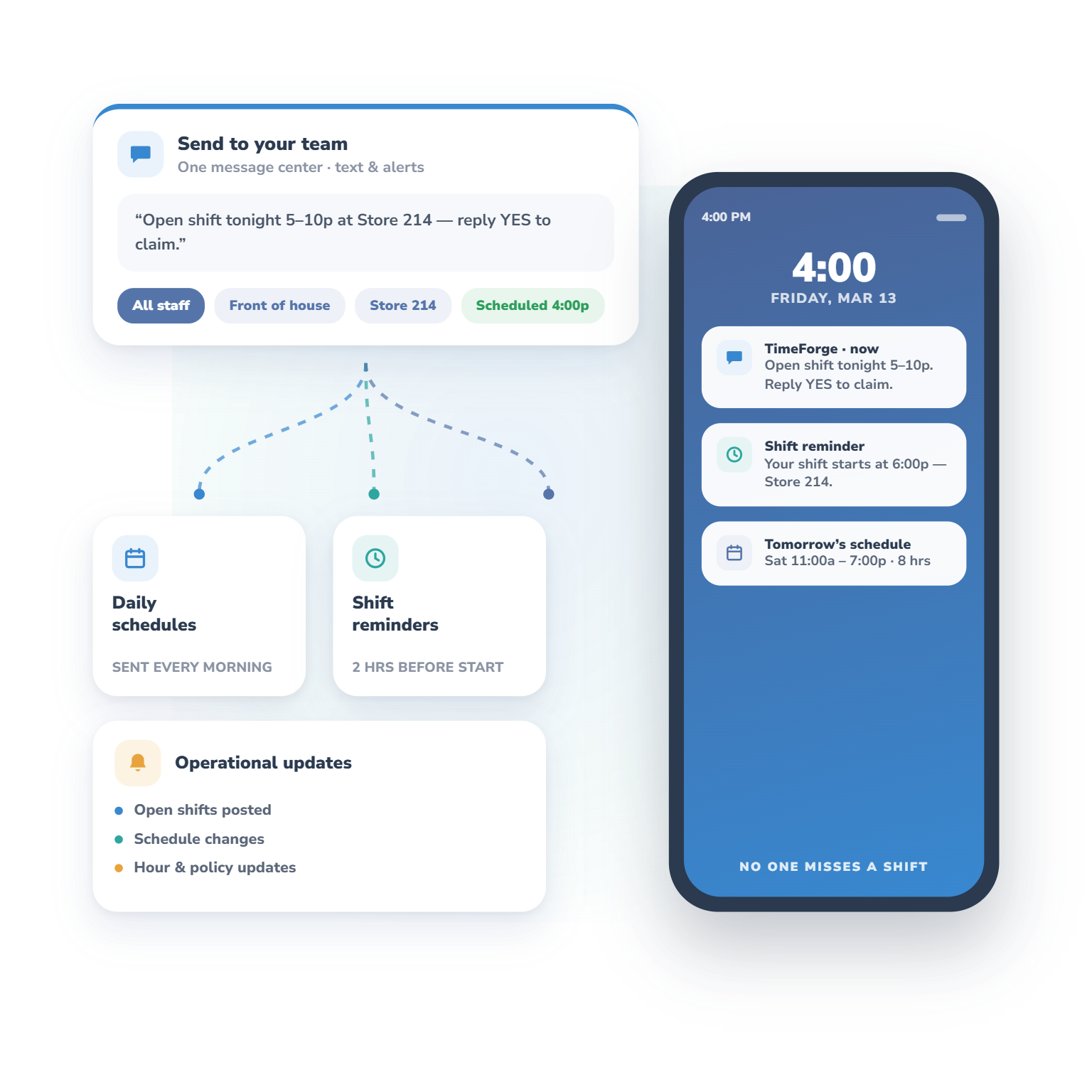
Stay connected with your team using centralized communication tools that let you send text messages and schedule alerts to all staff or specific groups.
Managers can quickly notify employees about open shifts, changes in operations, or updates that affect schedules and work hours. Automated scheduling tools also send daily schedules to managers and employees, plus text reminders a few hours before a shift starts, so no one misses work.
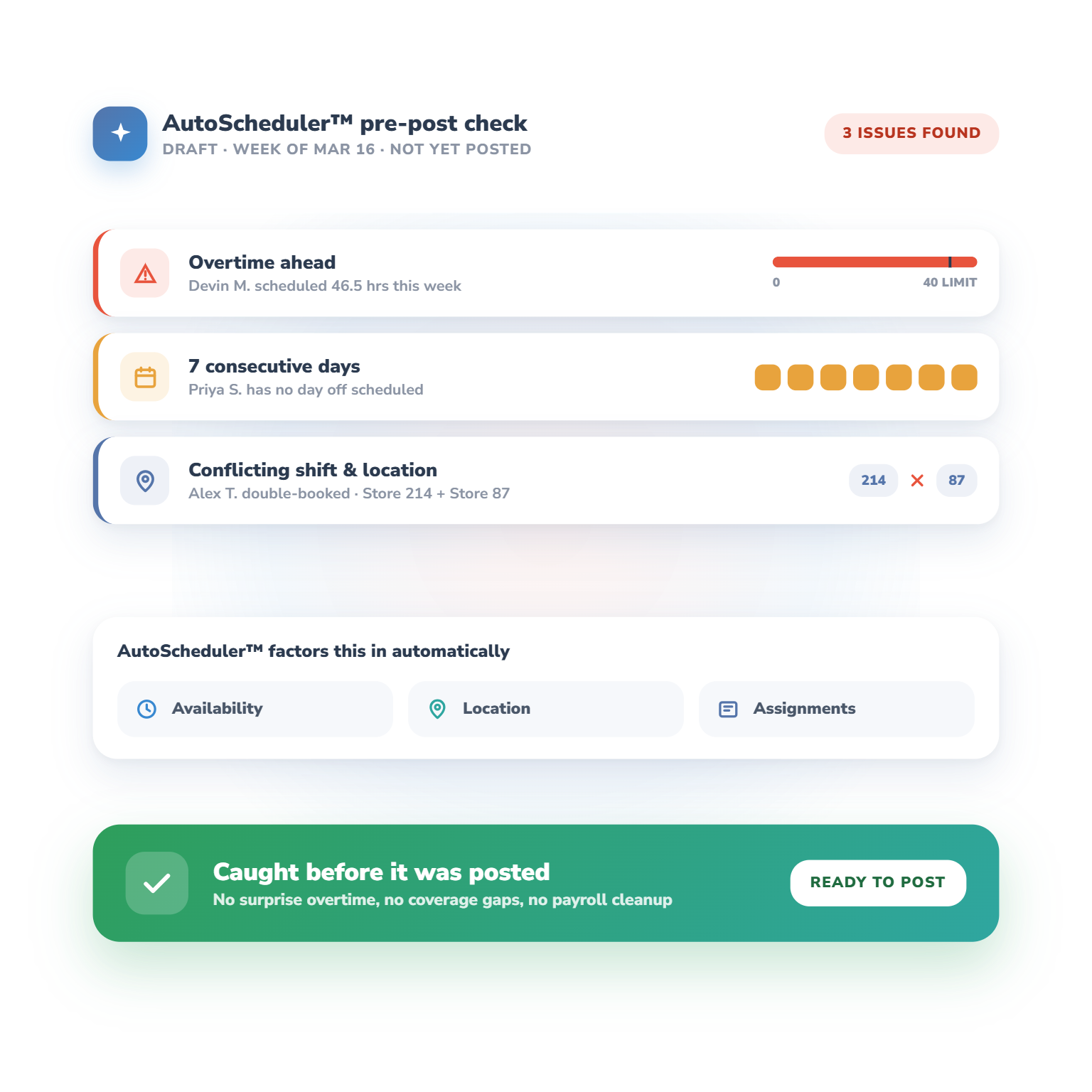
AutoScheduler™ spots potential issues in real time, before a problematic schedule is posted. Even small mistakes, like over-scheduling staff or assigning someone from another location, can lead to costly problems over time.
The system alerts managers when employees are scheduled for overtime, too many consecutive days, or conflicting shifts. When AutoScheduler™ builds the schedule, it automatically factors in availability, location, and existing assignments, so you don’t have to.
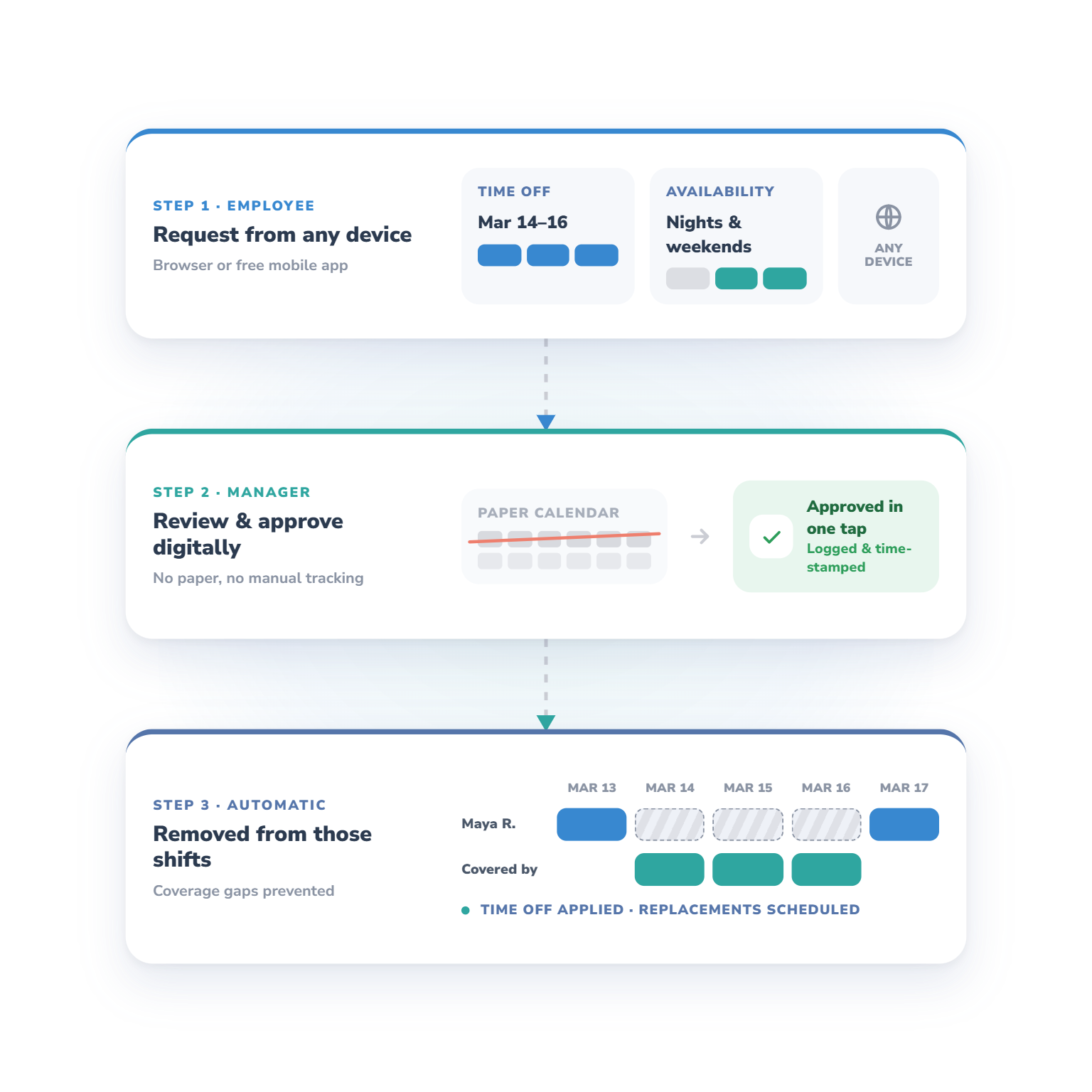
Employees can request time off or update their availability from anywhere using an internet-connected device. Managers review and approve these requests digitally, eliminating paper calendars and manual tracking.
Schedules are easy to access from a browser or the free mobile app. Once a time-off request is approved, the system automatically removes the employee from any schedules during that period, preventing coverage issues before they happen.
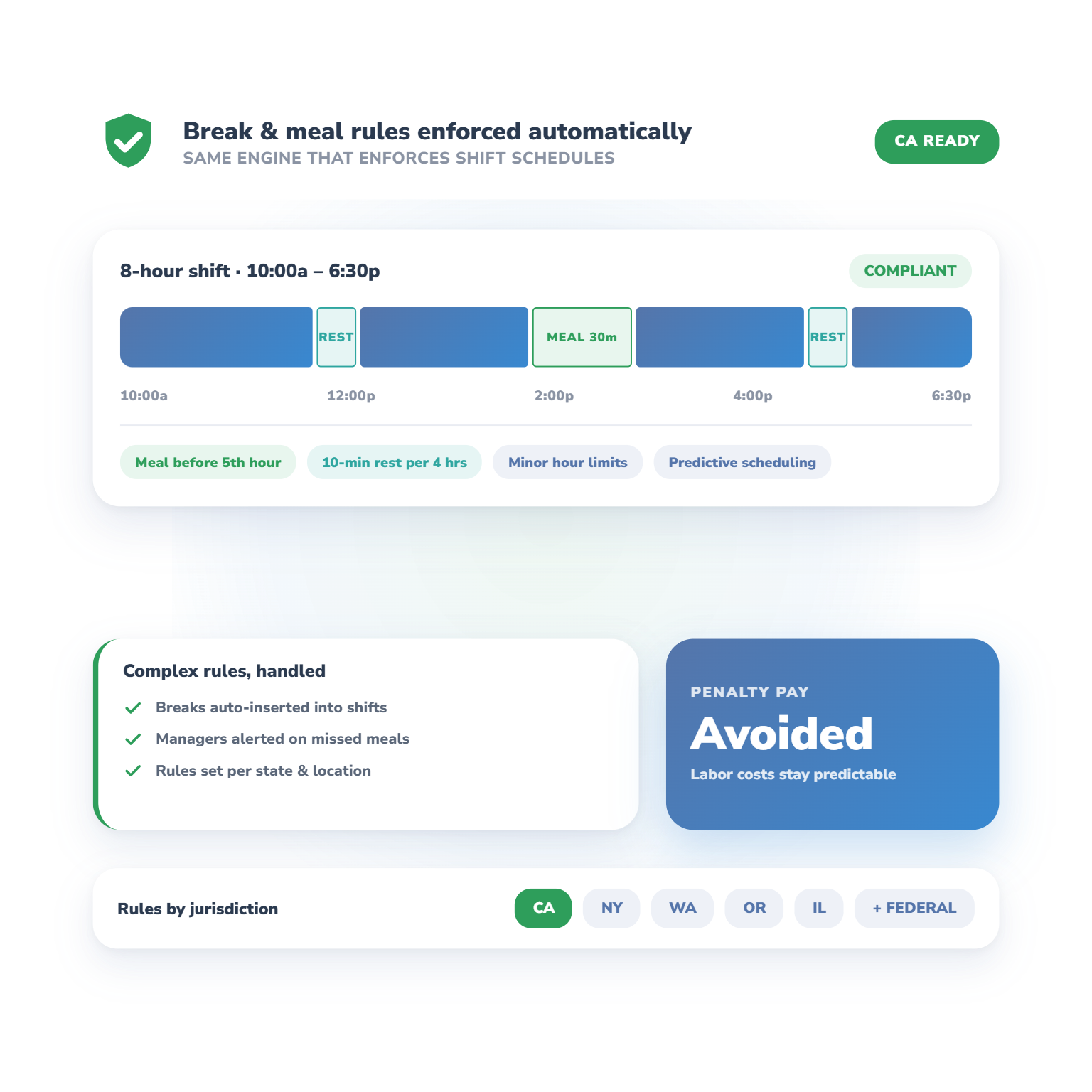
Today’s workforce regulations are getting stricter, especially in states like California. Our employee scheduling software helps you stay compliant, even with complicated rules.
TimeForge makes it easy to follow complex break rules and meal requirements, so you can avoid costly penalties and keep labor expenses under control. It can automatically enforce meal periods and breaks just like it enforces shift schedules.
“We have saved approximately $8,320 per year on scheduling. Before TimeForge, it would take 6 to 8 hours each week to make employee schedules. We have cut that number down to less than 2 hours.”

Use TimeForge to let staff request time off, swap shifts, and set preferences, while managers build accurate schedules quickly using templates and sales data.
TimeForge’s AutoScheduler™ builds complete schedules in seconds, assigning the right staff based on availability, skills, and costs.
Send alerts, texts, and updates to individuals or groups, with automatic reminders before shifts to prevent no-shows.
TimeForge flags overtime, conflicts, and errors before publishing schedules, saving time and preventing labor law issues.
Approve requests online or via the mobile app, and the system automatically updates schedules to prevent coverage gaps.
TimeForge enforces break rules and meal requirements automatically, helping you avoid penalties and stay compliant.
Yes. TimeForge’s free mobile app gives employees instant access to schedules, time-off status, and shift swaps.
TimeForge uses past and forecasted sales data to recommend the optimal staffing levels for every shift.

As we like to say, “the proof is in the pudding.” Let our rockstar customer success team give you a live demonstration of TimeForge in action, tailored to your needs.

We use cookies to personalize content, provide social media features, and analyze our traffic. We also share information about your use of our site with analytics and advertising providers. You can change your preferences at any time. For more information, please see our Privacy Policy and Cookie Policy. Privacy Policy Cookie Policy