



















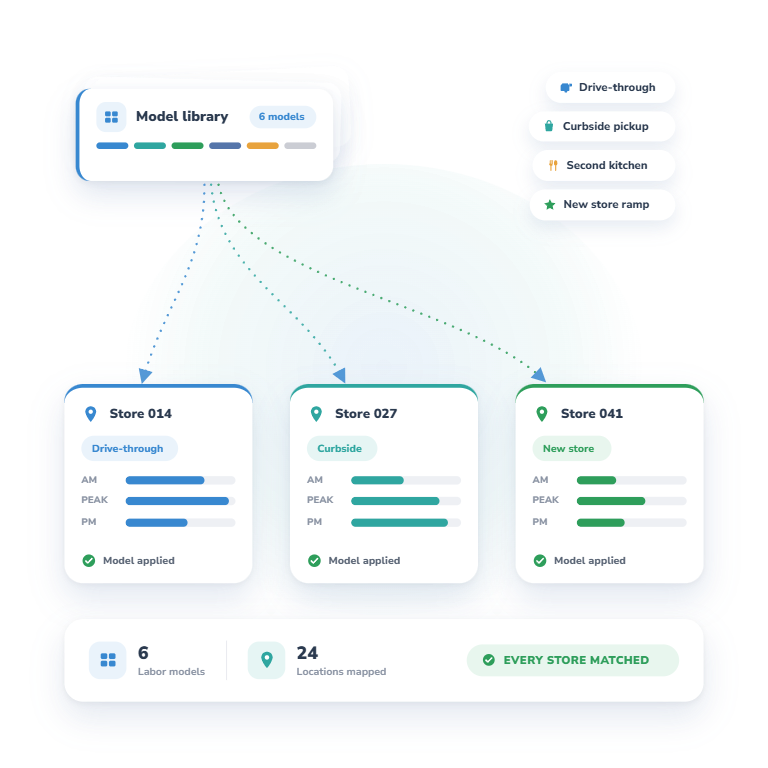
Operators rarely need one labor model. A new store does not work like a mature one, and a location with a drive-through, curbside pickup, or a second kitchen has different labor entirely. Each format gets its own model, and each store gets the model that matches how it runs.
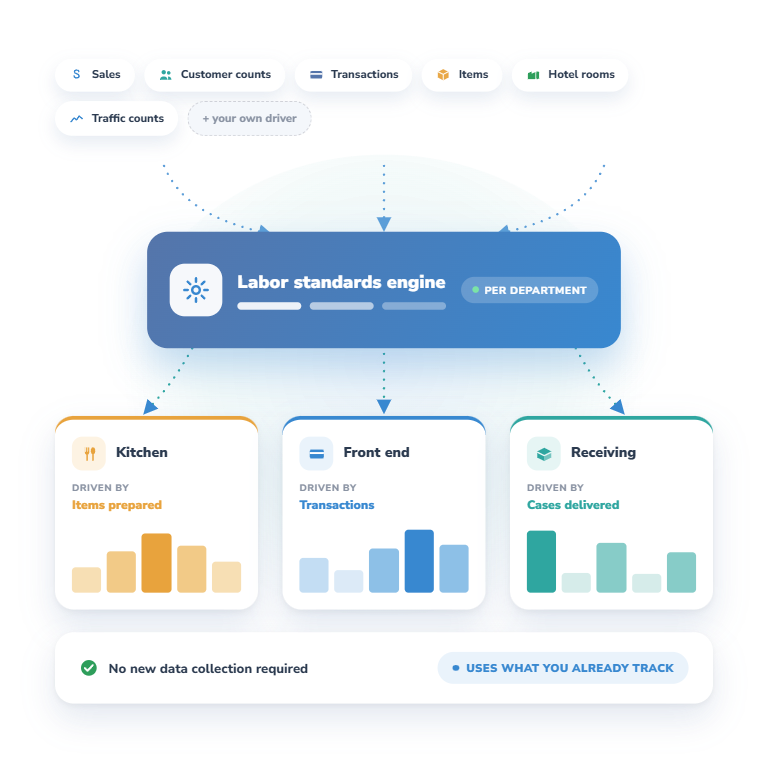
Labor standards can run on whatever volume data reflects the work — sales, customer counts, transactions, items, hotel rooms, traffic counts, etc. And each department or schedule can be driven by a different model, so the kitchen, the front end, and receiving are each planned on the driver that fits them.
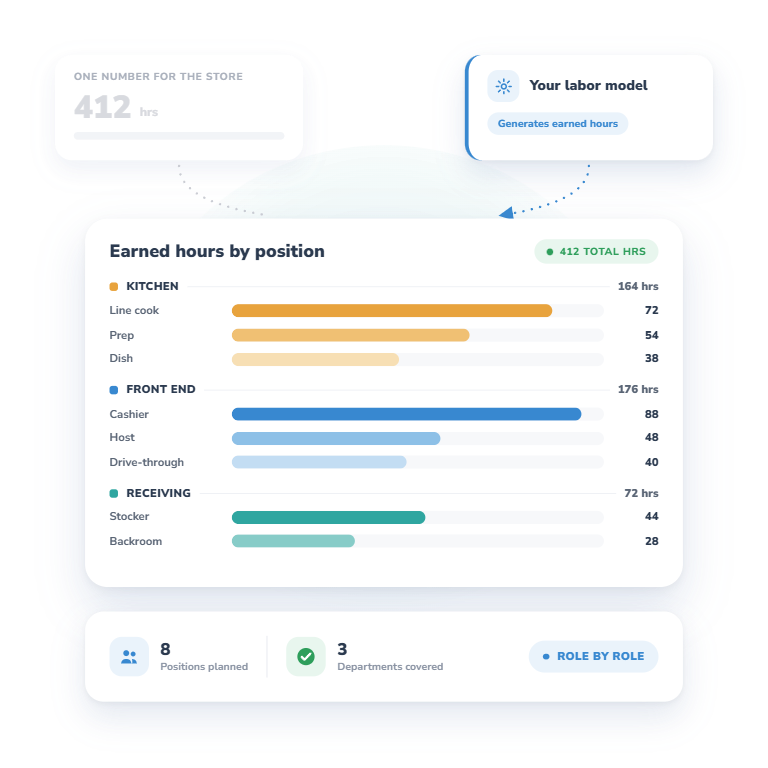
Your labor model generates earned hours and tells TimeForge how much labor is needed by position and by department. Managers see what the work requires role by role instead of a single number of hours for the whole store, so they can staff each area properly.
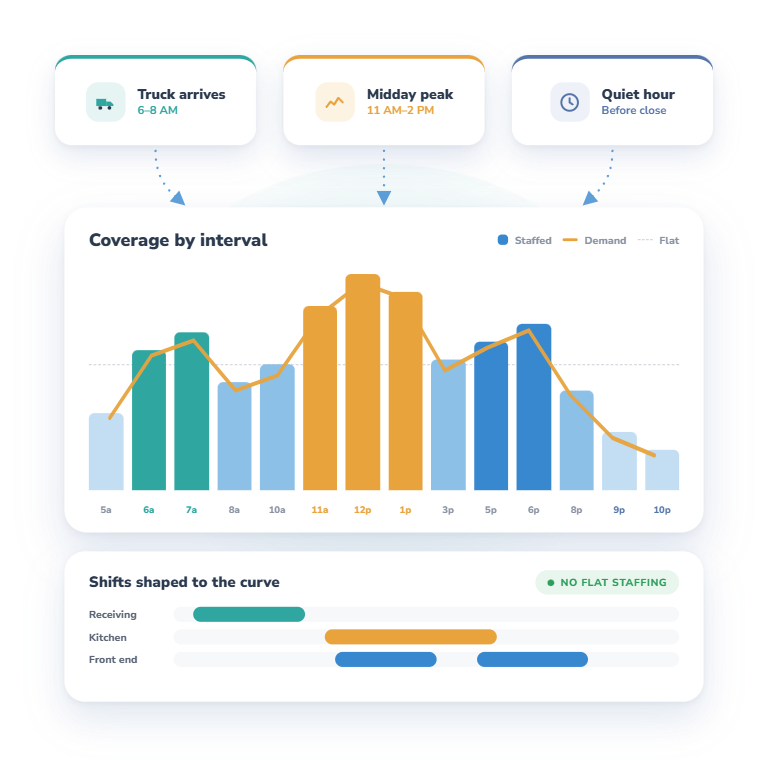
Labor demand is not flat. A truck arriving, a midday peak, and a quiet hour before close each call for different staffing. TimeForge uses your demand to shape coverage by interval, so staffing rises and falls with the work instead of holding one level all day.
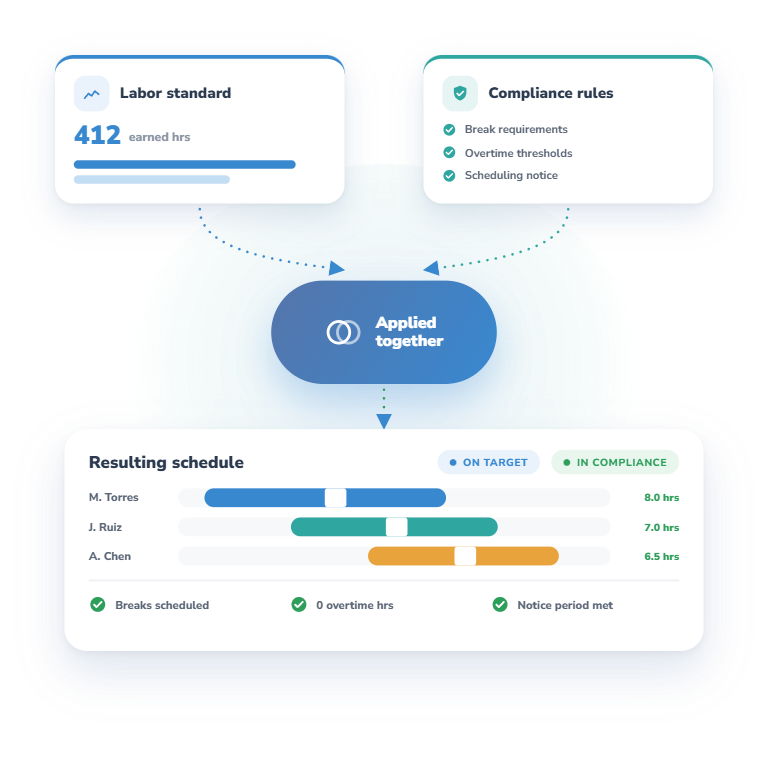
A labor model tells you how much labor the work calls for. It does not know your break requirements, overtime thresholds, or the scheduling notice your locations owe. TimeForge applies both at once, so hitting your labor target does not put you out of compliance.
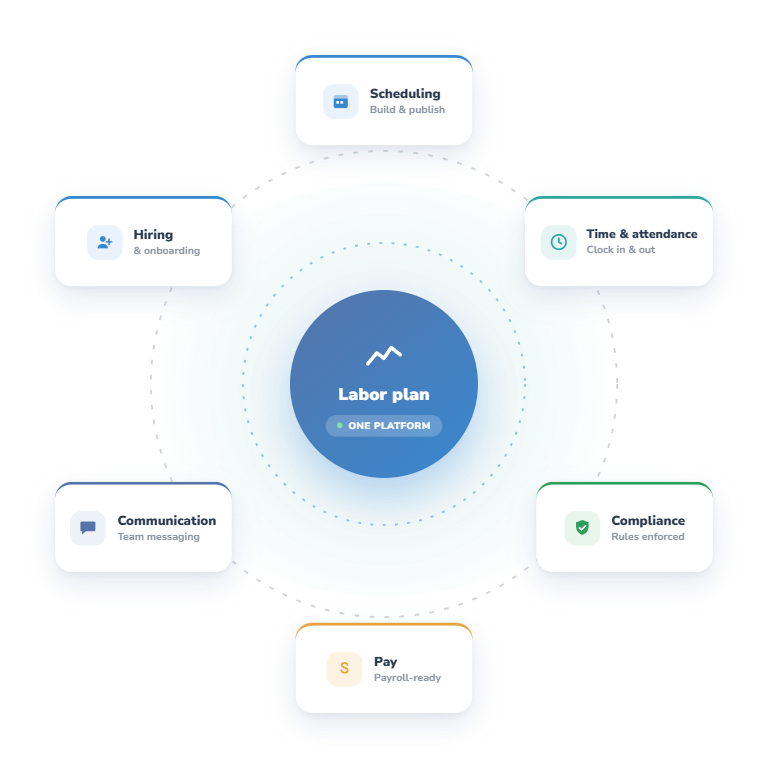
Labor planning is one part of running an hourly workforce. TimeForge also handles scheduling, time and attendance, compliance, hiring and onboarding, team communication, and pay — so the plan and the people it depends on stay in the same place.
As many as your operation needs. New stores, mature stores, different formats, locations with a drive-through or curbside pickup — each can have its own model, and each store gets the one that matches how it actually runs.
Whatever volume data reflects the work: sales, customer counts, transactions, items, hotel rooms, traffic counts, and other measurable drivers. If you track it and it drives labor, it can drive a standard.
Yes. Each department or schedule can be driven by a different model, so the kitchen, the front end, and receiving are each planned on the driver that fits them rather than forced onto one shared assumption.
Your labor model can generate earned hours — how much labor is needed by position and by department. Managers see what the work requires role by role inside the schedule they already build, instead of one number for the whole store.
No, and they shouldn’t. Earned hours describe demand. Minimum coverage, shift lengths, employee availability, skills, breaks, and labor requirements all shape what actually gets posted.
Yes. TimeForge uses your demand to shape coverage by interval, so staffing rises and falls with the work — a truck arriving, a midday peak, a quiet hour before close — instead of holding one level from open to close.
Together, not in sequence. A labor model does not know your break requirements, overtime thresholds, or the scheduling notice your locations owe. TimeForge applies your rules and your demand at the same time, so hitting a labor target does not create a violation.
No — they work together. Your forecast estimates the volume of work coming; your labor standards convert that volume into hours. TimeForge can also weigh manager projections and labor budgets alongside both.

As we like to say, “the proof is in the pudding.” Let our rockstar customer success team give you a live demonstration of TimeForge in action, tailored to your needs.

We use cookies to personalize content, provide social media features, and analyze our traffic. We also share information about your use of our site with analytics and advertising providers. You can change your preferences at any time. For more information, please see our Privacy Policy and Cookie Policy. Privacy Policy Cookie Policy